Converting My X201 ThinkPad into a Slabtop
2023-05-01
I recently wrote about physically disabling the WiFi toggle switch on my X201 which was a fun “hack” to an annoying issue I was running into. Since then, the laptop has been running flawlessly.
The only other minor issue I had was the poor display quality. The screen works perfectly fine but the X201’s age prevents it from being the best possible display for day-to-day tasks. Both the resolution and viewing angles are quite poor.
So, what were my options to remedy this problem?
- Swap out and upgrade the laptop’s display (not many options for this though)
- Connect an external display, keyboard, mouse and dock the X201
- Something else?
Looking into “Something Else”
I found that the possible replacement screens weren’t worth the cost/hassle to swap out. And setting the laptop aside, docked with external peripherals sounded fine in theory - but then I would be missing out on the X201’s amazing classic keyboard…
Then I thought to myself, “Why not just remove the display entirely?”
So that’s what I did.
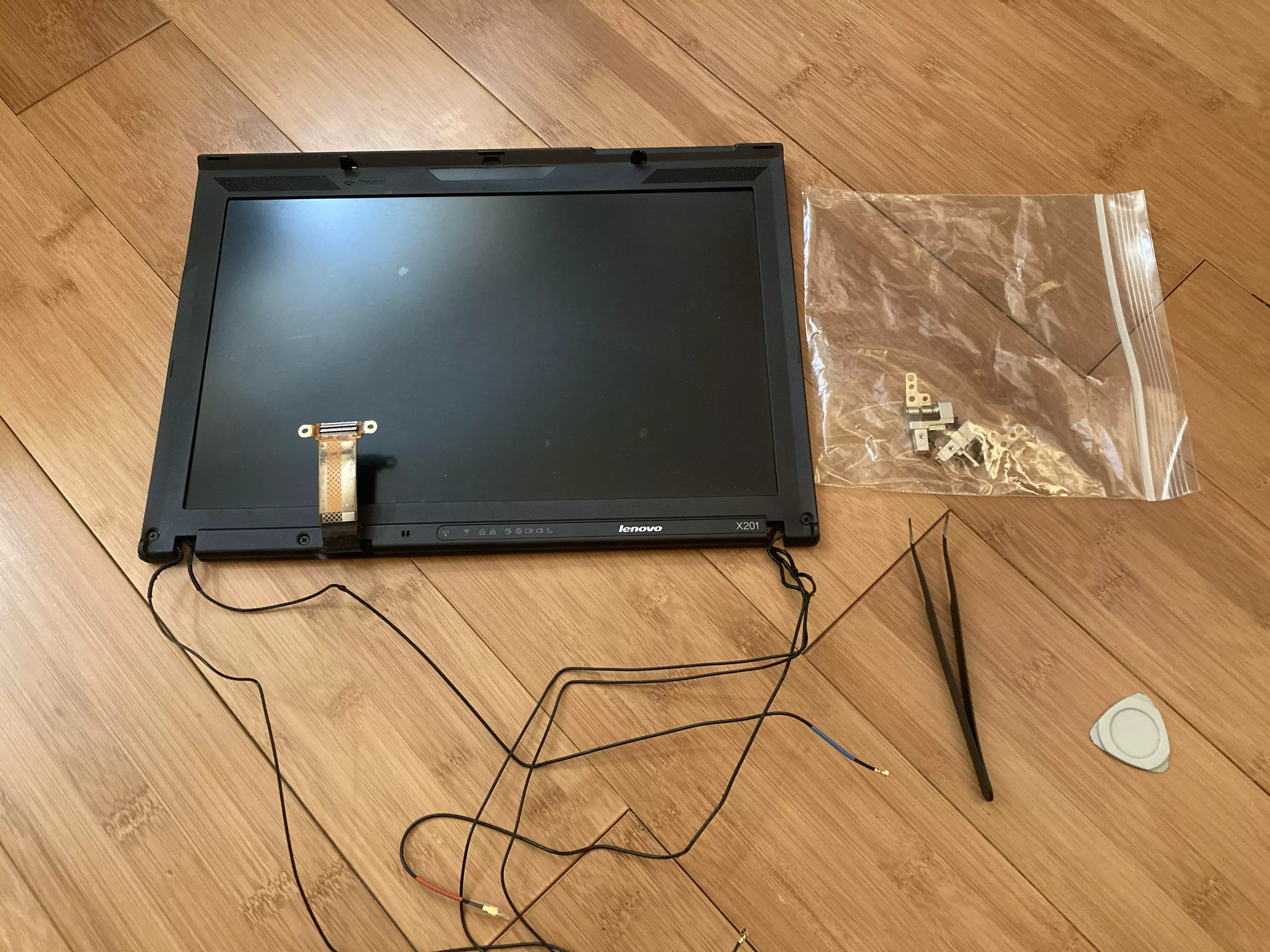
The X201 display (still inside the top lid) disconnected from the body of the laptop.
Removing the entire top lid was easier than I initially thought it would be. The beautiful thing about these older, classic ThinkPads is the ability to completely dissemble them. I won’t go into heavy details on how to take one of these machines apart, since great documentation already exists. But once you have the keyboard and hinge screws removed it is essentially as easy as lifting the lid out of the chassis. (After disconnecting the small display connectors, of course)
Ditching Alpine for Debian
I love Alpine Linux. It’s normally my go-to distro (paired with dwm) for most of my laptop devices. Unfortunately, I find tiling window managers a slight pain to use on larger, 4K displays. I also wanted this slabtop to “just work”, instead of needing to fiddle around with WiFi, xrandr, audio etc. Not to mention that Debian is rock solid stable. Defaulting to the XFCE DE was a no-brainer as well since this device is somewhat old.
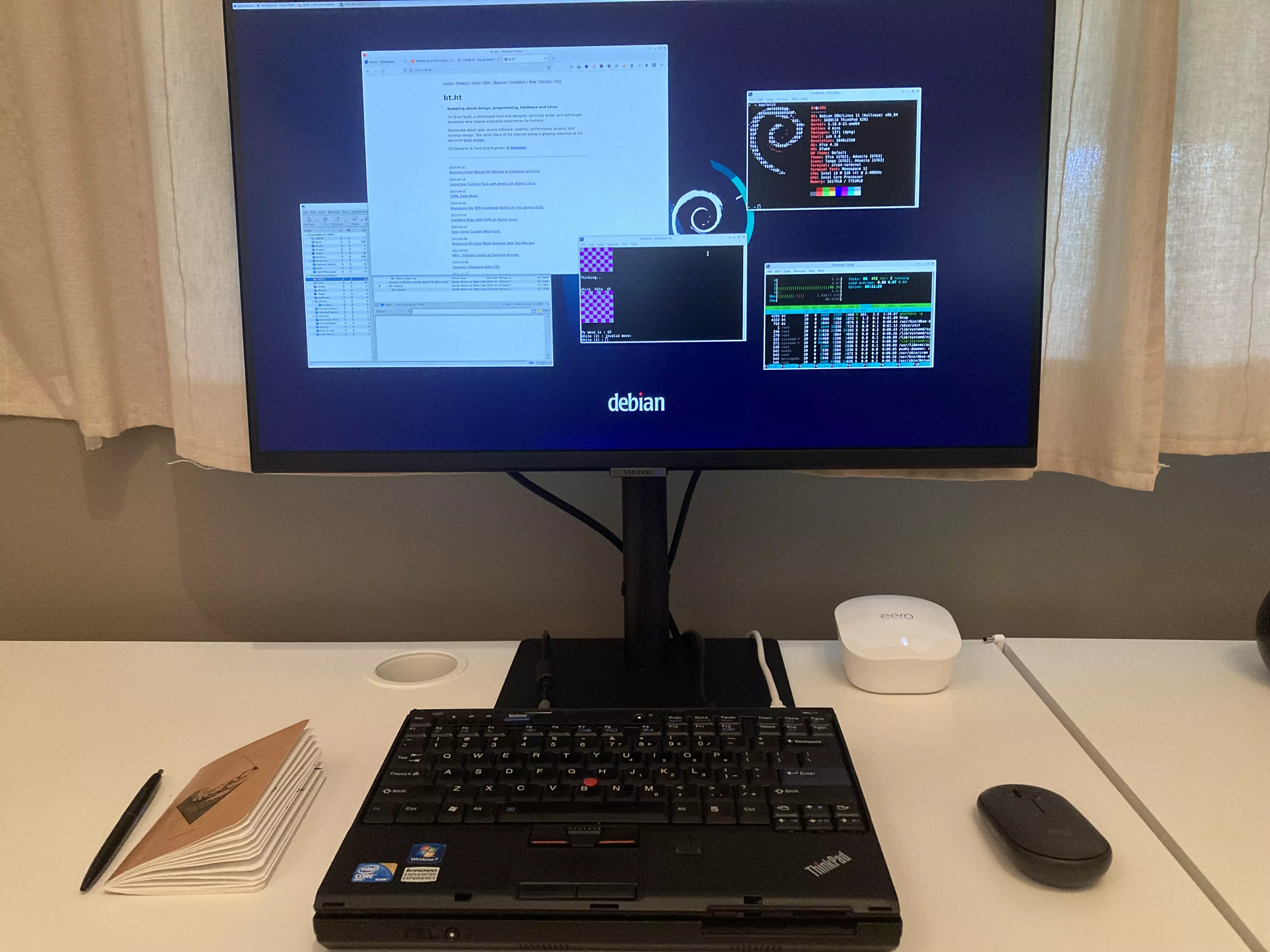
The X201 “slabtop” connected to my 27” 4K monitor via the ThinkPad UltraDock.
Closing Thoughts
This slabtop gives me those old-school “Commodore64” vibes (or more recent devices like the Raspberry Pi 400). This setup certainly isn’t for everyone but for my use case it’s working well. Traveling with a machine like this might prove a little more challenging - although you could simply pair it with a smaller travel monitor (I’m sure the overall carrying weight would be similar to the standard X201).
If nothing else, it is good to keep this option in mind if you ever break your laptop’s display and don’t feel like spending the money to fix it. Just grab an external monitor you have laying around and make a slabtop!